
Instagram on PC.Made better.
Add photo music, media downloads, chat themes and follow-back checks to Instagram in your desktop browser.
Free. Manual installation for Brave, Chrome & Edge.
This extension needs a desktop browser. Open this page on your computer to install it.
Open source. No analytics. No extra account.
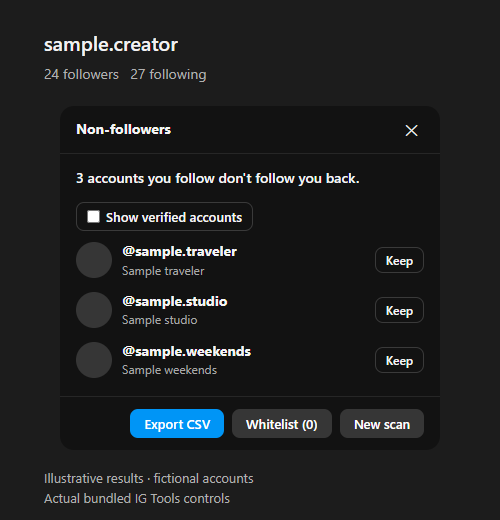
Actual extension controls. Fictional accounts & sample content.
No scan runs or sound plays on this page.
A desktop with
fewer limits
Instagram’s web experience leaves useful things out. IG Tools adds them to the feed, profiles and conversations you already use.
See who follows back
You still follow them.
They don’t follow you.
Find the accounts you follow that don’t follow you back. Start a scan from your own profile, keep browsing while it runs, then review the results or export a CSV.
Compares your current lists; it doesn’t track when someone unfollowed you. Select results to add to your whitelist together, or review and confirm selected unfollows. Automated scans and unfollows may trigger Instagram limits. Read before scanning.
More in every scroll
Let the photo play
Music starts with the photo in focus. Scroll to the next post and its soundtrack takes over. Leave the post or hide the tab, and playback stops.
Song and artist credits sit below the author. Pause or adjust the volume whenever you like.

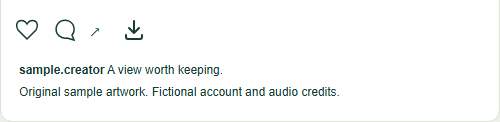
Save the slide you see
Download a photo, video or story from its own controls. In a carousel, the download follows the slide you’re viewing.
Files come from the original media servers, in the best version available to your session.
A closer look
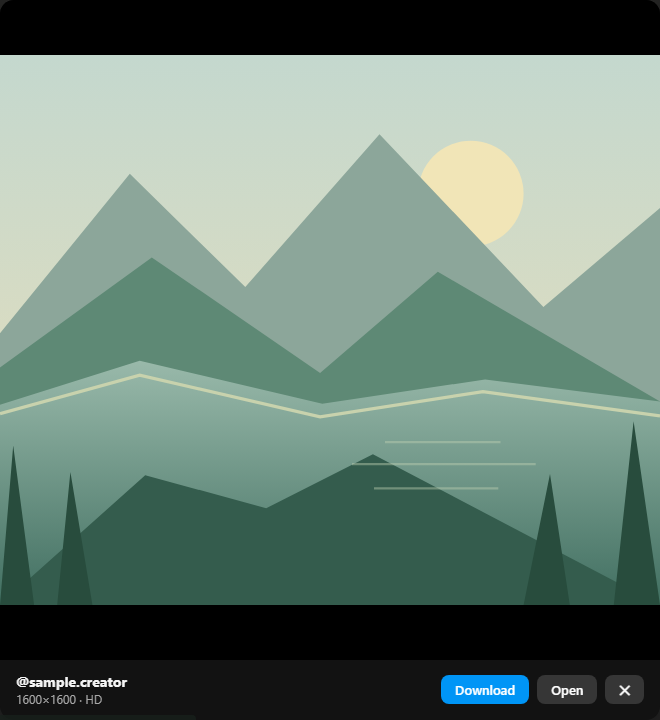
Open a profile photo at full size. View it, open the image directly or save a copy from the built-in viewer.
IG Tools only works with content your session can access. Private accounts stay private.
Bring your chat theme
The theme already set for a conversation on mobile can show up on your desktop, too: its background, message colors and composer.
Open a themed conversation and IG Tools applies its existing theme. Nothing extra to turn on.
Make it yours
Download from GitHub and load it into your browser. There’s no Chrome Web Store listing yet.
Download extension, small ZIP download
Desktop Chromium 116 or newer.
First, unzip the download
Extract the ZIP into a permanent folder. Keep that folder after installation; your browser loads the extension from there.
Open your extensions
Copy this address and paste it into your browser’s address bar.
brave://extensionsLoad the folder
Enable Developer mode, choose Load unpacked and select the folder containing
manifest.json. Reload Instagram and you’re ready.
Your feed stays yours
IG Tools runs in your browser, with no analytics, ads or developer servers. It reads data Instagram already loads and can request details for one post at a time.
A non-followers scan starts only when you click Start scan and reads your own lists from Instagram. Unfollowing requires a separate review and confirmation of selected results. Results stay in the tab; your whitelist and verified-account preference stay in the extension on your computer.
Media comes directly from its original servers. Chat themes use a flag in Instagram’s existing conversation request. Music and downloads use data; temporary caches are bounded.
The project is independent and unofficial. It doesn’t bypass access restrictions, and downloading a file doesn’t grant rights to reuse it.
Before you install
Can I see who unfollowed me?
You can see which accounts you currently follow don’t follow you back. That can include someone who unfollowed you while you still follow them, but IG Tools keeps no history, so it can’t tell whether or when they unfollowed you.
What should I know before scanning?
Scanning requests your own follower and following lists from Instagram. Automated activity may lead to limits or account blocks. Use it rarely. Requests run one at a time with pauses; Cancel is available, and the scan stops on the first limit or error without retrying. Incomplete lists can affect results.
Why is installation manual?
The extension is currently distributed on GitHub. Download the ZIP and use Developer mode to load it. A normal website cannot silently install a browser extension.
How do I update it?
Download the latest ZIP and replace the files in your installation folder with its contents. Click Reload on the extension card, then refresh Instagram. Manual installations don’t update themselves.
How do I remove it?
Open your browser’s extensions page and click Remove on IG Tools. You can then delete the extracted folder.
Is this affiliated with Meta?
No. IG Tools is not affiliated with, endorsed by or sponsored by Instagram or Meta. Respect copyright, privacy and the site’s terms when using it.
What if something stops working?
Instagram changes its website regularly, so features can break. Check the GitHub issue tracker for known problems or report one without sharing passwords, tokens or private content.